Alle Blogbeiträge
How to Check Your ATS Score — Fast & Free
Check your ATS score in about a minute, learn what counts as a good score, and get the quick fixes that help your resume pass applicant tracking systems.

Quick answer: To check your resume's ATS score, paste your resume and the job description into a free ATS resume checker — it scores how cleanly your resume parses and how well it matches the job, in about a minute.
You apply for a job, hear nothing back, and assume a machine threw your resume out. In June 2026 alone, U.S. employers had 7.4 million job openings and made 5.3 million hires — and nearly all of those applications ran through an ATS first.
An applicant tracking system, or ATS, doesn’t grade your resume or reject it. It reads your file and pulls the details into a database – your name, your job titles, your dates, your skills. Recruiters then search that database for the people they want.
So if your resume is hard to read, or missing the words the recruiter searches for, nothing rejects you. And it happens to strong applicants: a Harvard Business School study found that 88% of employers admit qualified, high-skilled candidates get screened out simply because their resume doesn't match the exact criteria in the job description.
TL;DR
An ATS score shows how well your resume matches a specific job and how easily software can read it. The ATS doesn’t create this score – checker tools do.
To check it, upload your resume to an ATS checker along with the full job description you’re applying to.
Most tools treat 80 and above as a strong match, but scores differ between tools. Watch whether yours moves up, rather than chasing a specific number.
The quickest fixes: single column, standard section headings, job title matched exactly, contact details in the body instead of the header.
Re-check for every application. The score measures your resume against one posting, so it changes with every role you apply to.
How to Check Your ATS Score in 4 Steps
Checking takes about a minute. You need two things: your resume file and the job description you’re applying to.
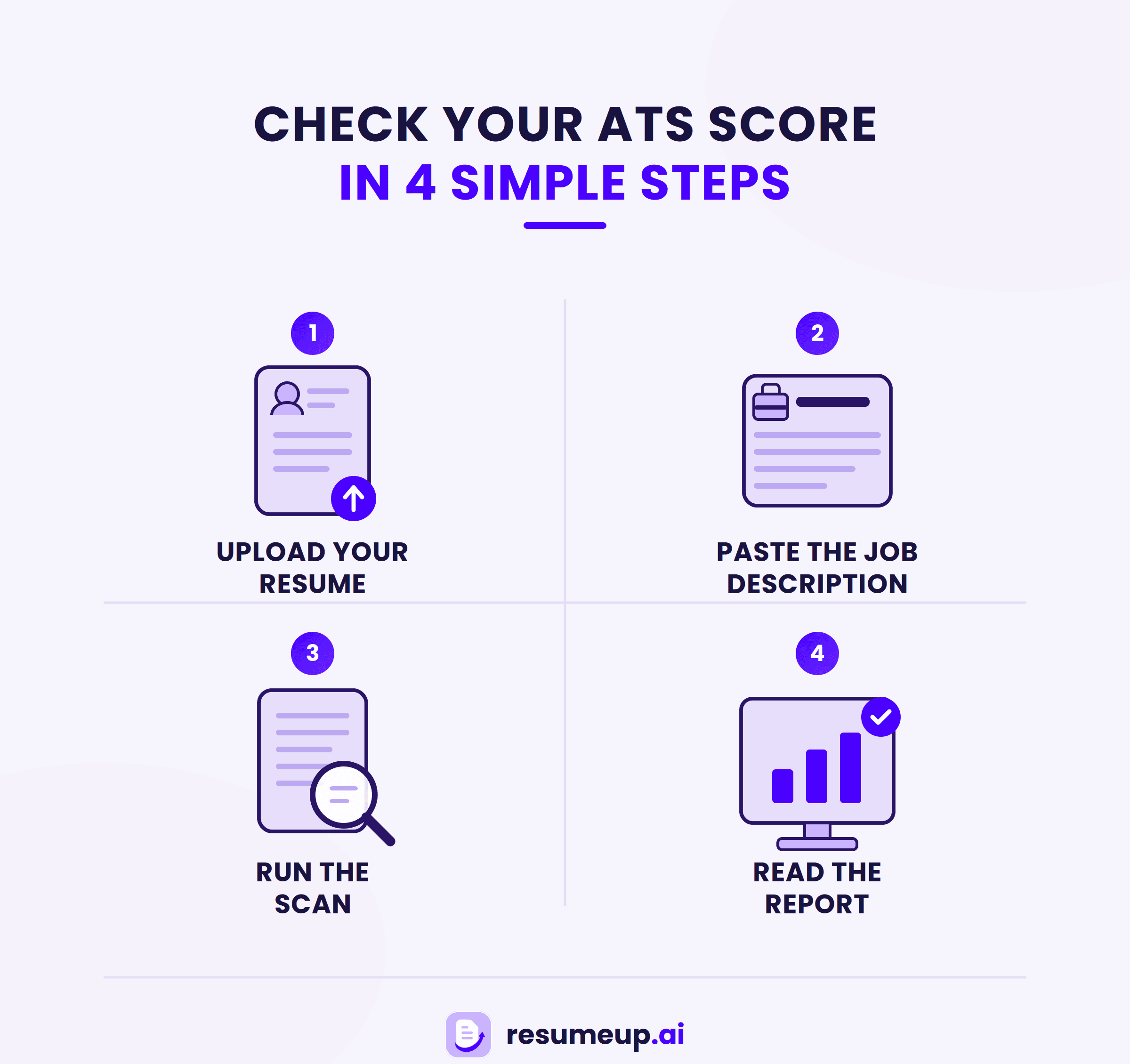
1. Upload Your Resume
Open an ATS resume checker and upload your file. Use the exact version you plan to send – not an older copy or a different format. If you’ve been sending a DOCX, check the DOCX. Formatting problems often appear in one file type.
2. Paste the Job Description
Copy the full posting from the company’s careers page or the job board and paste it in. Include the responsibilities and requirements sections, not just the title. This is what the checker compares your resume against, so a partial posting gives you a score based on partial information.
3. Run the Scan
The tool reads your resume the way an applicant tracking system would, pulls out what it can identify, and matches it against the posting. Most checkers return results in a few seconds.
4. Read the Report
The score is the headline, but the useful part is beyond it. Look for three things:
Keywords from the posting that don’t appear in your resume
Sections the tool couldn’t read or identify
Contact details it failed to pick up
Each of those is a specific fix, and they’re usually quicker to make than they look.
What Does a Good ATS Score Look Like?
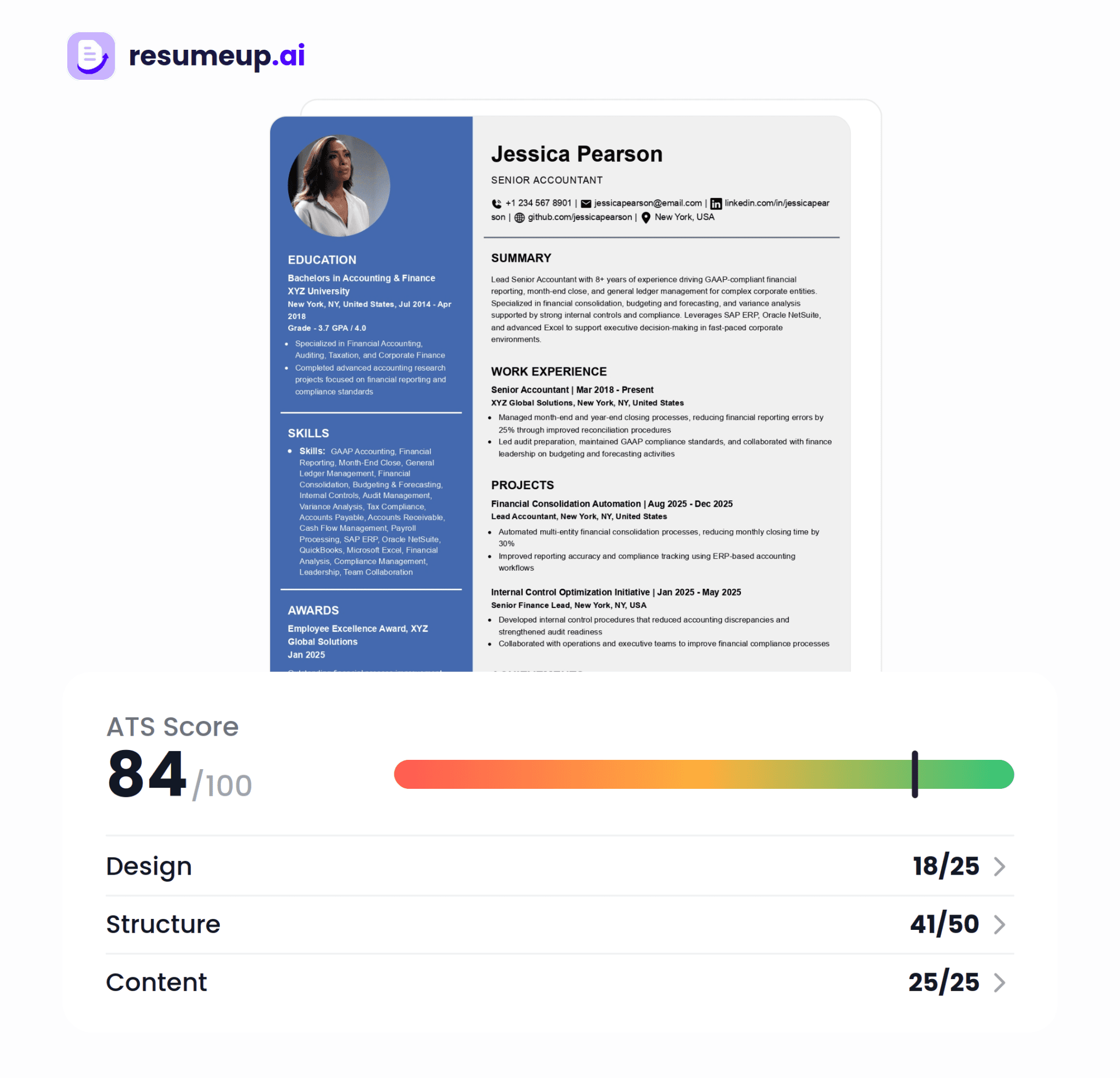
Most checkers put a strong match somewhere above 80. But the number on its own tells you less than people assume, so here’s what each range usually means.
80 and above
Your resume reads cleanly and covers most of what the posting asks for. Worth a final look for anything obvious missing, then send it.
60 to 79
Usually a keyword gap rather than a formatting one. You have relevant experience, but you’ve described it in different words than the posting uses. Check which terms the report flagged and add the ones you can genuinely back up in your skills and bullet points.
Below 60
Usually something structural — either the tool couldn't read parts of your file, or the role doesn't line up with your background. Look at the parsing warnings before you touch the keywords.
Key Takeaway: Scores aren’t standardized. The same resume can come back as 72 on one checker and 85 on another, because each tool weights keywords, formatting, and section structure differently. Run one tool consistently and observe whether your score moves up as you make changes. Comparing scores across two different tools tells you nothing.
What ATS Checkers Actually Measure
Your score comes from a handful of separate checks. Knowing which one you failed tells you exactly what to fix.
Check | What Passes | What Fails |
Keyword Match | Wording that mirrors the job posting – same job title, same tools, same skill names | “Led projects” when the posting says “project management” |
Layout | Single column, plain text, standard bullet points | Two columns, tables, text boxes, graphics, logos |
Section Headings | Work Experience, Education, Skills, Projects | “Where I’ve Been”, “My Toolkit”, “What I Bring” |
Contact Details | Name, phone, and email in the body of the document | Contact details placed in the header or footer |
File Type | PDF or DOCX where the text can be selected and copied | Scanned images, or screenshots, or unusual file formats |
Length | One page for early career, two pages with several years of experience | Padded to fill space, which dilutes your keywords |
If the report flags something under Layout or File type, fix them first. A resume the tool can’t read properly will score badly on keywords too, even when the right words are there.
How to Improve ATS Score Before Applying?
Mirror the job title exactly. If the posting says “Data Analyst” and your headline says “Data Enthusiast,” change it. The job title is the heaviest keyword in the match.
Use both the acronym and the full term. Write ”Search Engine Optimization (SEO)” for the first time, then use SEO after that. Recruiters search for either one, and you don’t know which they’ll type.
Pull skills straight from the posting. Read the requirements section and list the tools and skills you genuinely have, using their words. Don’t add anything you can’t speak to in an interview.
Switch to a single column. If your resume has a sidebar, move that content into the main body. This one fix often moves a score more than any amount of keyword editing.
Move contact details out of the header. Put your name, phone, and email as normal text at the top of the page instead.
Rename creative section headings. Work Experience, Education, Skills, Projects. Plain labels get recognized; clever ones get skipped.
Re-scan after every change. Make one fix, run it again, see what moved. That tells you which problem was actually costing you points, rather than guessing.
Your ATS score just tells you whether your resume parses cleanly and matches the job — so check it before every application and fix what the report flags.
ResumeUp.AI runs that whole loop in one place: the keyword finder shows which terms from the posting you're missing and how many, the bullet point generator turns plain duties into quantified, keyword-rich lines, one-click Fix with AI rewrites weak sentences in your voice, and the AI resume builder exports a clean, ATS-ready resume in minutes.
Häufig gestellte Fragen
Is checking ATS score free?
Yes. Most ATS checkers give you at least one free scan, and several let you run a limited number each month. Paid plans usually add unlimited scans, deeper keyword reports, and resume editing in the same tool.
What ATS score do I need to pass?
There’s no pass mark. No ATS rejects you because of a specific score. Most checkers treat 80 and above as a strong match, but that’s the tool’s benchmark, not the employer’s.
Do companies actually use an ATS?
Yes — nearly all large employers and most mid-sized ones run applications through an ATS like Greenhouse, Workday, or Lever. It's how they store and search applications, not how they filter people out. Greenhouse alone is used by thousands of companies, from Airbnb to Shopify. Smaller companies often still review resumes by hand.
Can an ATS read a two-column resume?
Often badly. Many systems read straight across the page, which mixes your sidebar into your work history and scrambles both. A single column is safer.
How often should I check my ATS score?
Every time you apply somewhere new. The score measures your resume against one specific posting, so it changes with every role, even if your resume hasn’t.

Rohith Reddy
Mitgründer
Rohith Reddy ist Mitgründer von ResumeUp.AI und ehemaliger Hiring Manager mit über 500 technischen Interviews in einem Jahrzehnt, unter anderem bei ADP. Seine Arbeitsmarkt-Studien bei ResumeUp – etwa zu Ghost Jobs und den Auswirkungen von KI auf Einstiegsjobs – wurden von Entrepreneur aufgegriffen. Als Informatiker schreibt er darüber, worauf Recruiter und ATS-Systeme wirklich achten – aus beiden Perspektiven des Bewerbungsprozesses.